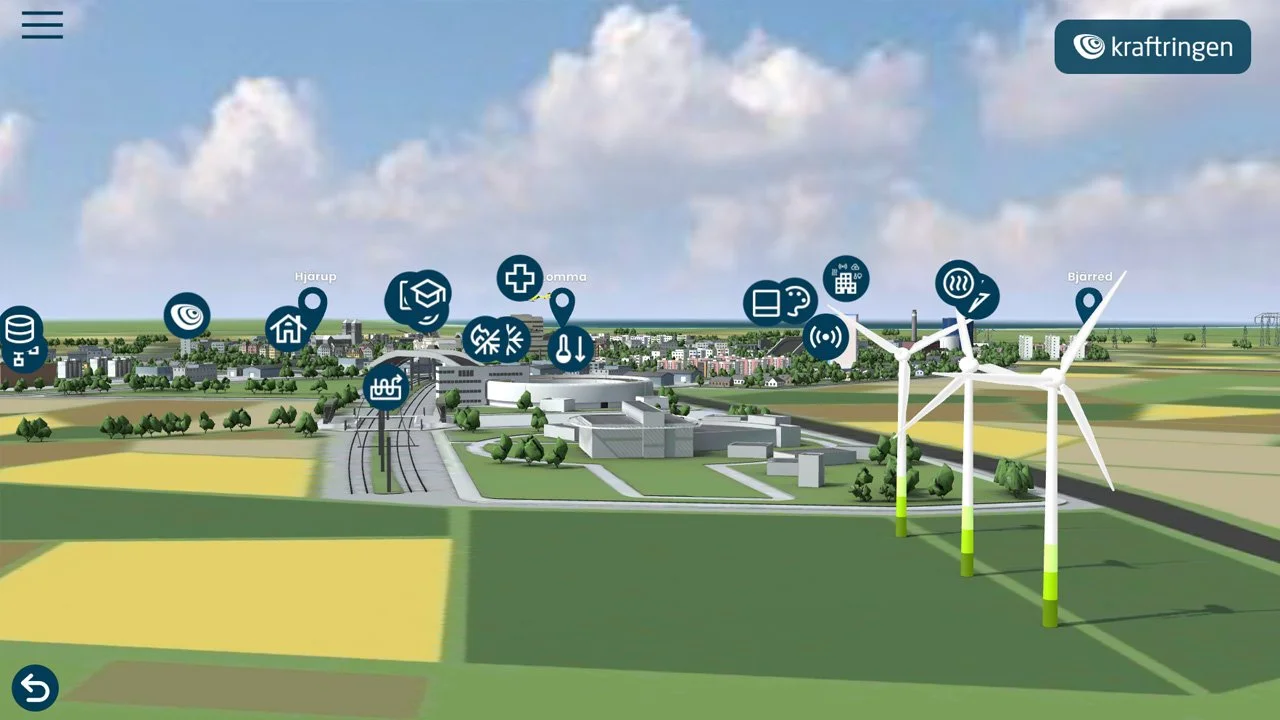
Interactive 3D presentations that engage
We create web-based 3D experiences that let your audience explore, understand, and remember. Perfect for product presentations, digital showrooms, trade shows, and visual communication that stands out.
An interactive 3D presentation is not a substitute for your website. It is something entirely different.
Whereas a webpage lists and explains, a 3D experience lets your audience explore. They move through the environment, click on what piques their curiosity, and absorb information at their own pace. This creates a completely different sense of presence and engagement. It’s ideal when you want to showcase something that’s difficult to explain with text and images—a product, an area, a facility, a complex process, or a future initiative that doesn’t yet exist in reality.
How we CREATE your INTERACTIVE PRESENTATION
We choose the basic technique based on what you want to show and which style works best. It’s also possible to combine several techniques.
Interactive 3D real-time graphics
A vibrant 3D world where you can move freely. We build and animate the entire environment, and users can control what happens, explore, click, switch, and discover. Perfect when you want to simplify the complex, demonstrate a product’s functionality, or create something people will actually remember. The real-time graphics can also be combined with 360-degree panoramas, where the 3D model provides the overview and the panorama provides the sense of presence.
Photographed 360-degree panoramas
We photograph your actual environment with a 360-degree camera and create an interactive tour directly from the images. When the location is key and photorealism is important, panoramas are hard to beat. A real photograph creates a sense of authenticity and familiarity that no 3D model can match. Perfect for showcasing offices, factories, showrooms, or properties in a way that actually feels like you’re there.
3D-rendered panoramas
We create the environment entirely in 3D, without the location needing to exist in reality. We work with you to choose the style—whether photorealistic, stylized, or illustrative. Showcase an office before it’s built, create a digital showroom, or design a trade show booth that visitors can explore from anywhere.
Gaussian splatting
We film an area using drones and convert the footage into a photorealistic, navigable 3D environment. Fast and cost-effective. This technology is most effective when you want to view something from a distance—an area, a property, an industrial site, or a neighborhood. Combine it with hotspots and information windows to create an overview that is both visual and informative.
Features and content
The possibilities with interactive presentations are endless, and the only limit is your imagination. Much of the material you already have—images, videos, documents, and text—can be presented in a new and more engaging way. Here are some of the most common features we work with, whether it’s a panorama project, a 3D world, or a combination of both.
Clickable points placed within the environment that trigger an action. This could involve navigating to a new panorama, changing the view in the 3D model, or opening an information window. Hotspots can be animated—for example, as flashing rings or moving icons—and can also be shown or hidden on command, which is useful when you want to let the user sort or filter the content.
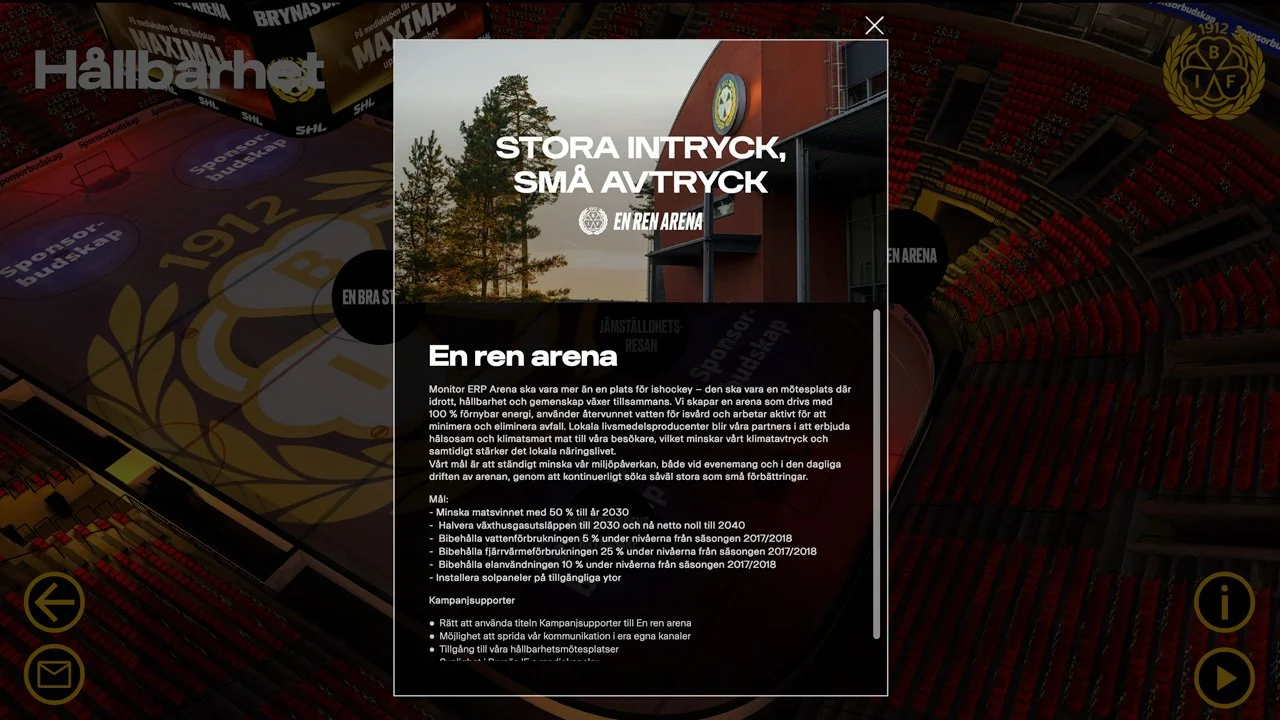
Information Window When the user clicks on a hotspot, an information window opens containing text, images, video, a PDF, or a combination of these. The windows can be freely resized or locked to specific pixel dimensions, and customized with the customer’s own fonts, colors, and graphic profile.
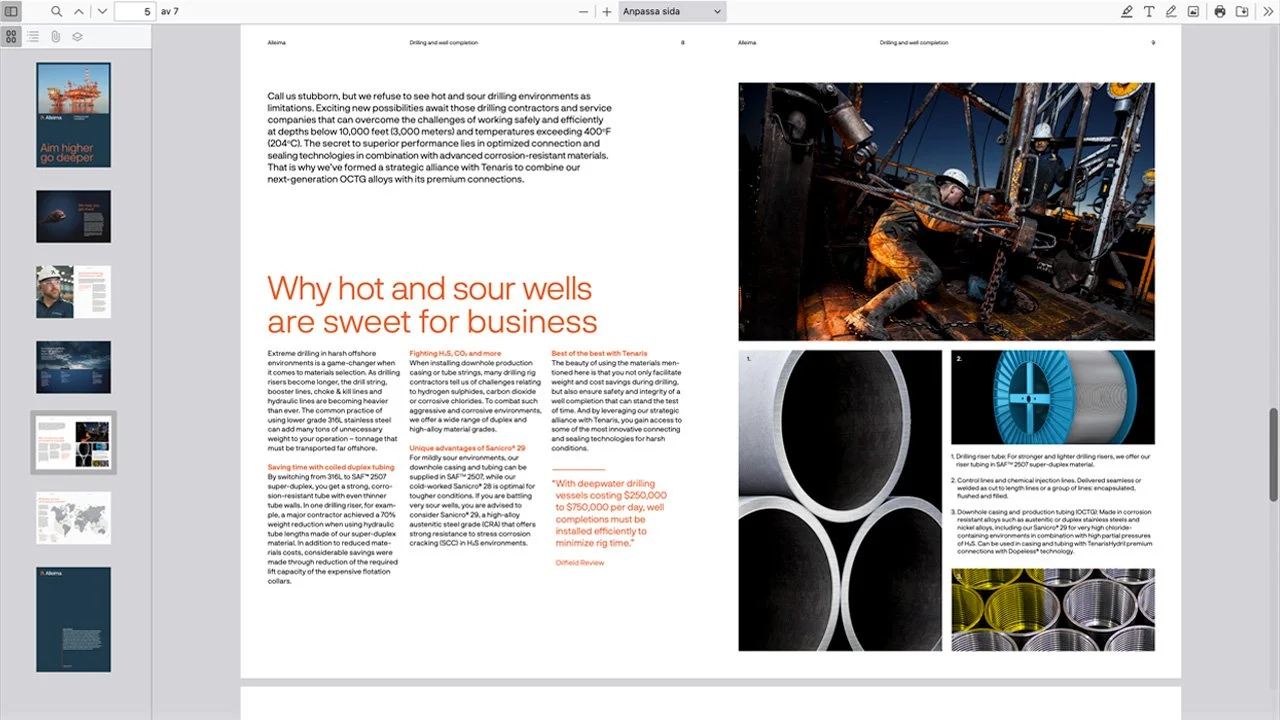
PDF Viewer
View datasheets, brochures, or other documentation directly within the experience. Users can browse through the PDF without leaving the presentation.
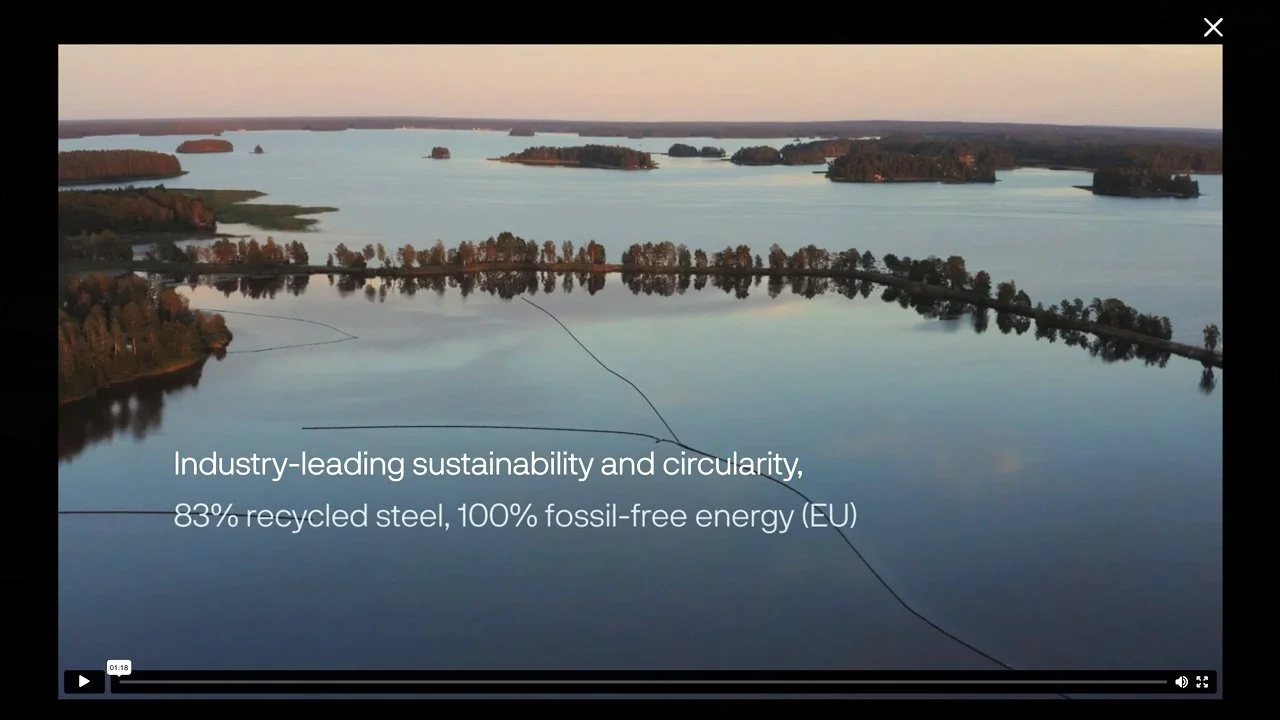
Video Screening:
Videos can be integrated via pop-up windows in any format, either as standalone files or through streaming services such as Vimeo and YouTube. If you need help creating videos or animations for your presentation, we’re happy to assist with that as well—from scriptwriting and filming to the final production.
Animated video elements
In panorama-based experiences, parts of the environment can be replaced with a video layer. A screen playing a video, a moving machine, or a window with activity outside. This gives the environment a sense of being alive rather than a static image.
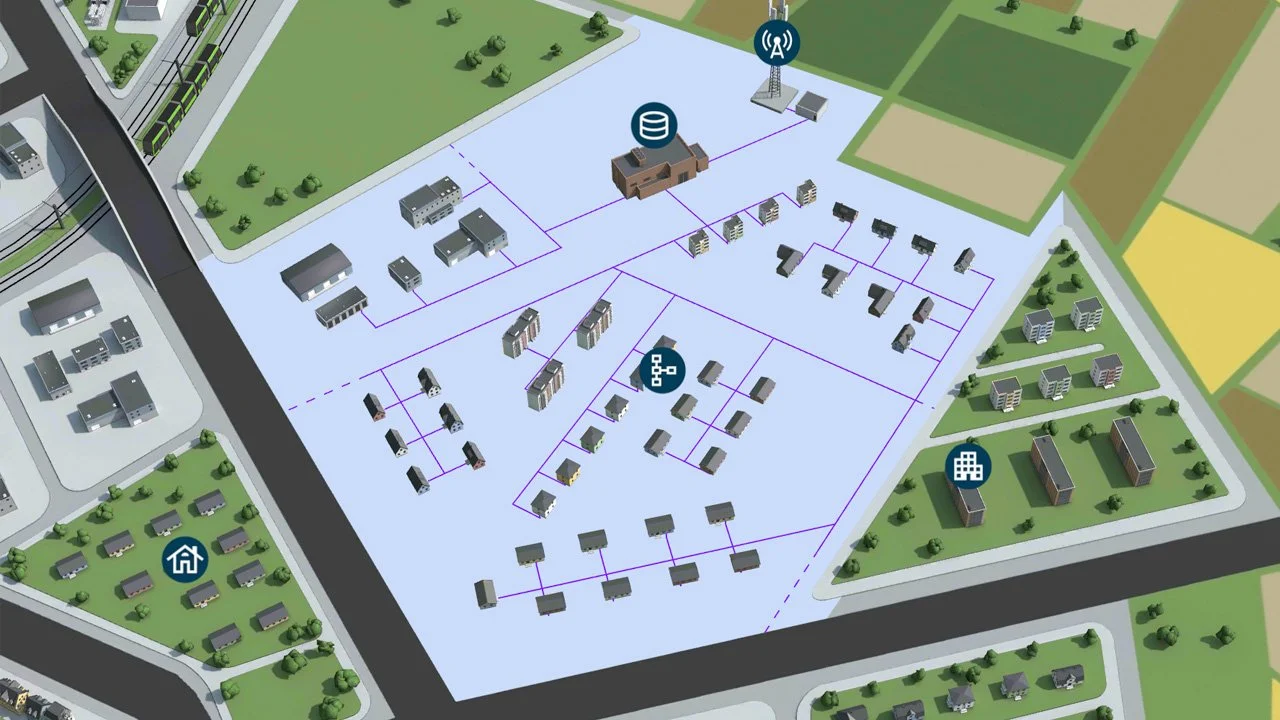
3D Layers & Material Changes
In a 3D model, different layers can be shown or hidden, which is perfect for revealing what’s inside a product or building, for example. Materials can also be changed in real time to show how something looks, changes, or appears in different designs and variations.
3D Animation
With real-time graphics, we can build animations directly into the presentation—such as moving vehicles, machines starting up, or visualizations of processes. We can also create camera movements and combine them with sound and music to produce a cinematic sequence directly within the 3D environment—a powerful way to tell a story or introduce an experience without having to load external video files.
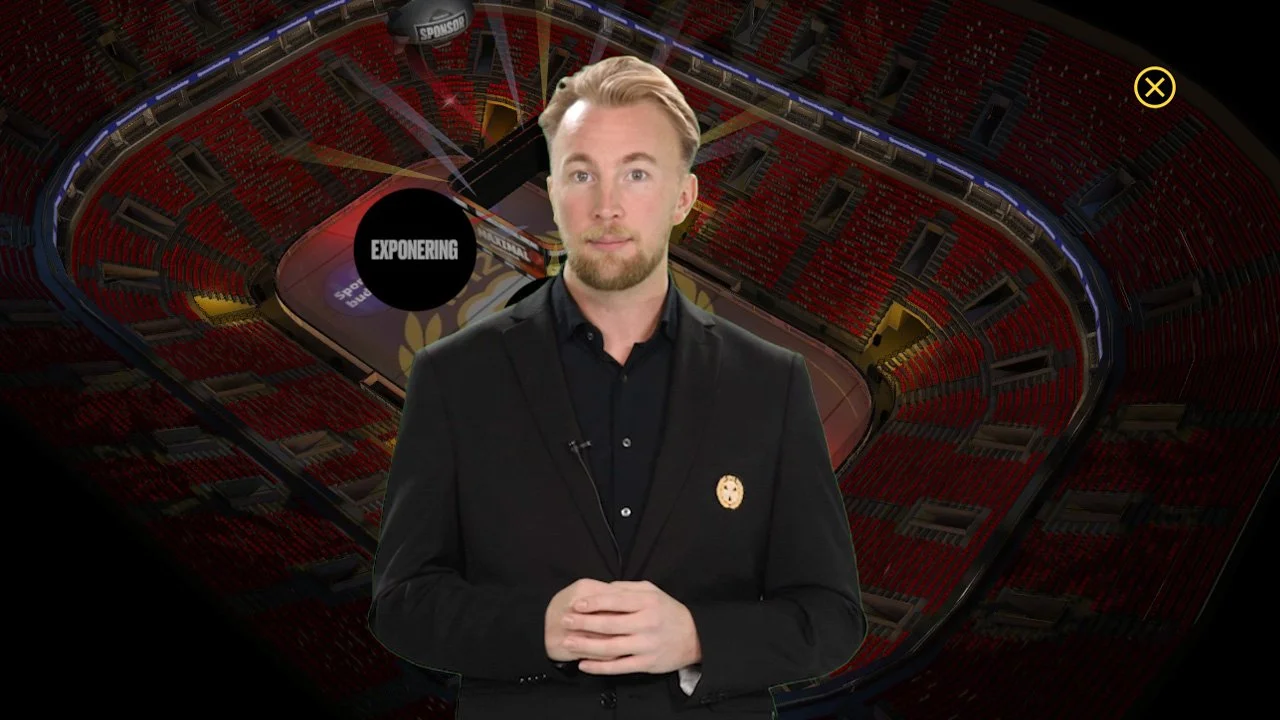
Presenter
A person filmed against a green screen can be placed directly within the experience, either inside the panorama or as a graphic layer on top, like a news anchor superimposed on the image. This combination of film production and interactive technology creates a truly unique experience. If you need help with filming, you’re welcome to visit our green screen studio, or we can come to you with a portable green screen.
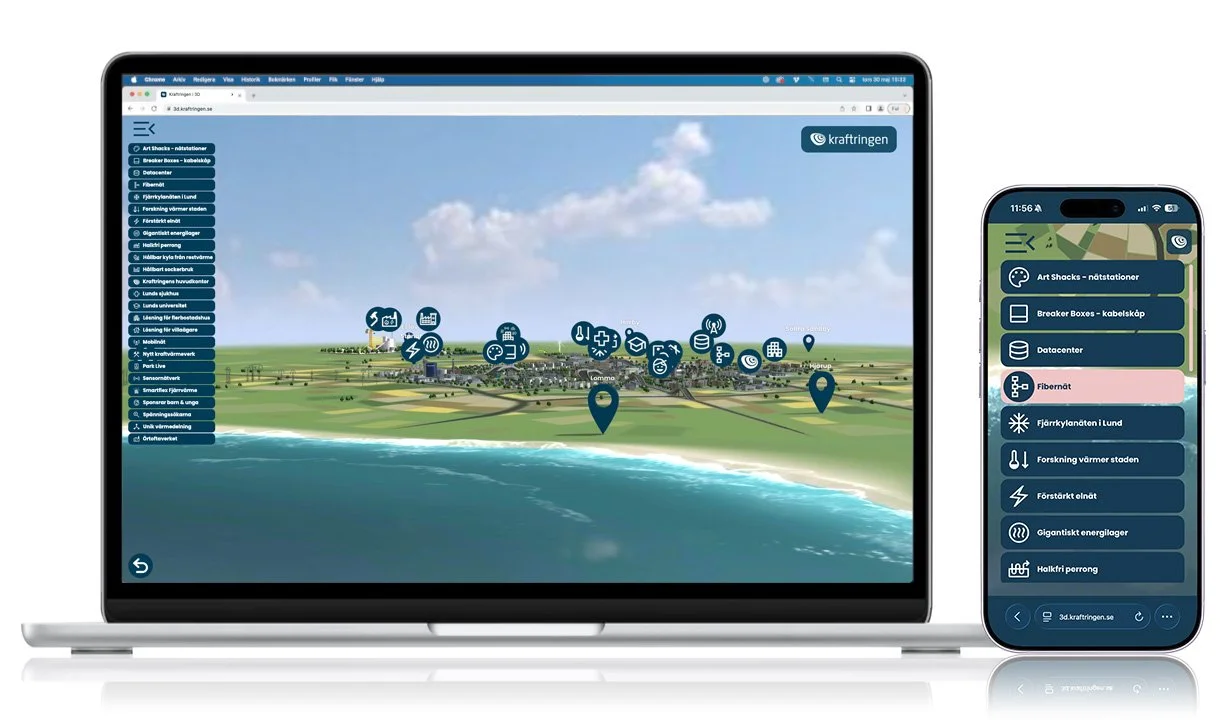
Optimized for mobile
Both 3D and panorama features work automatically on desktop and mobile. But we take it a step further. Skins—menus, pop-up windows, and navigation—can be customized specifically for mobile and optimized for portrait mode. Studies show that the majority of mobile usage occurs in portrait mode, so we design the experience based on how people actually use it.
Easy to use, easy to deliver
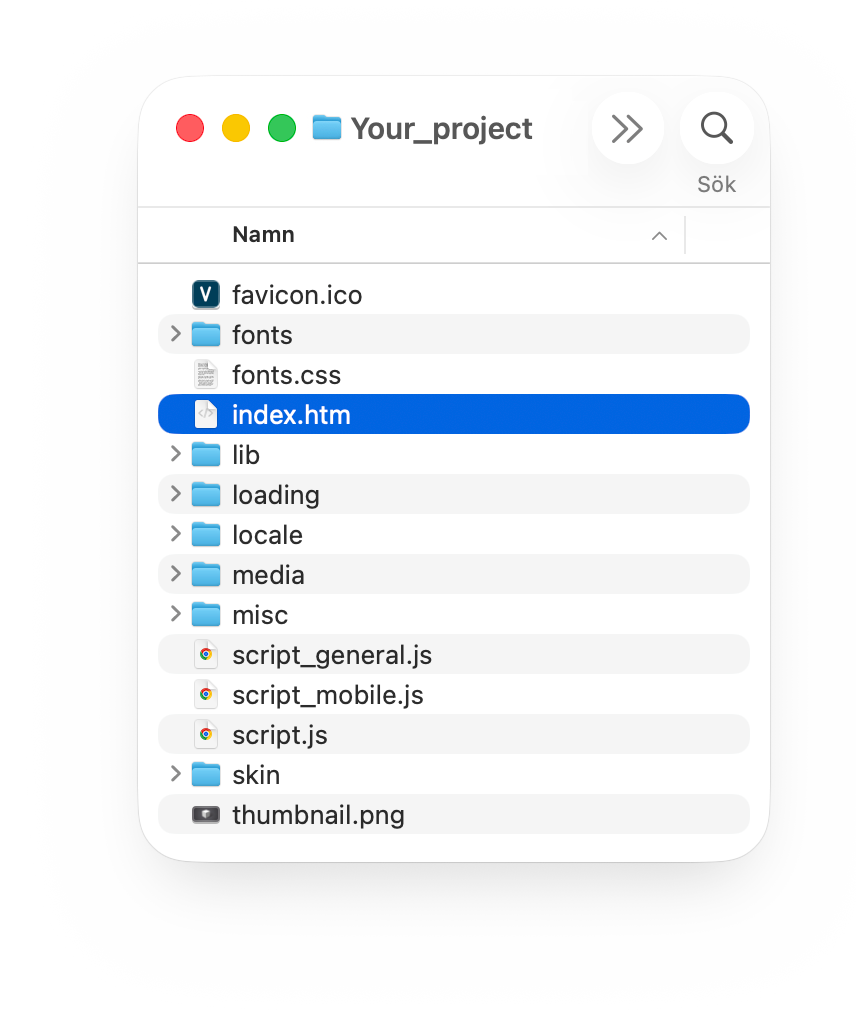
The experience is delivered as standard web files—HTML, JavaScript, and media files—which are published on any web server. No plugins or database are required. End users can open it directly in their web browser on any device.
If you’d like to run it offline at a trade show or in a showroom, we can provide it as a standalone Windows application that doesn’t require an internet connection. If you need help with publishing, video streaming, or hosting, we can take care of that as well.

Every project is unique; some are based on 360-degree photography, others on 3D production from scratch, and sometimes a combination of both. Regardless of the starting point, we usually follow the same structured process.
This is how we work

1. Brief & Objectives
We start by understanding what you want to achieve. Who will use the experience, in what context, and what message should it convey?

2. Workshop
Together, we’ll go over the content, direction, and the materials you’ll need to prepare for production. What should the experience include, what’s most important to communicate, and what should it feel like to use it?
3. Structure & Interaction Design
We map out how the experience will work before we start production. How does the user navigate the experience, where is the information located, and how does it all fit together?
4. Graphic Design
This is where we define the visual style. The interface, menus, and graphics are tailored to your brand identity so that the experience feels like a natural extension of your brand.

5. 3D & 360-degree photography
We build the environment in the way that best suits the project. We can start from scratch in 3D, work from an existing CAD model provided by you that we convert and adapt, or use 360-degree photography on-site. It’s also possible to combine both techniques.


6. Interactive production
The environment comes to life. Pop-up windows, videos, image galleries, overlays, and menus are added, and everything is optimized for both desktop and mobile.

7. Review & Reconciliation
You can follow the progress of the work on an ongoing basis via a password-protected website and provide feedback along the way.

8. Export & Delivery
The experience is delivered ready for publication. If you need an offline version for a trade show or showroom, we’ll provide it as a standalone Windows application.
9. Marketing*
Do you need help marketing your experience? We can help you drive traffic to your presentation with short videos and other content tailored for social media. From the finished experience to promotion, we handle everything under one roof.
CONTACT FORM
Would you like to learn more about how an interactive 3D presentation could enhance your communication? Contact us to schedule an initial consultation.
Call us: +46 (0)26 - 66 44 70
Send us an email: info@videa.se
Fill out the contact form below
and we’ll get back to you as soon as possible.
SELECTED CUSTOMER CASES